Administration
Users and roles
Give people access with roles - the six permissions, the built-in roles, custom roles - and manage accounts, sessions and asset scopes.
Everything about access is under Users, which only administrators see:
| Tab | For |
|---|---|
| Users | Accounts: create, edit, disable, reset passwords, sign out |
| Roles | The built-in roles and your own |
| Identity providers | Signing in with company accounts (see Sign-in providers) |
Permissions
A role is a set of permissions:
| Permission | Allows |
|---|---|
| View | Live values, tags, devices, views, trends, alarms and reports |
| Operate | Writing values and setpoints; buttons that call gateway scripts |
| Acknowledge alarms | Acknowledging and shelving alarms |
| Engineer | Devices, tags, UDTs, views, alarm rules, reports, connectivity and projects |
| Manage scripts | Gateway and tag scripts, the script library, secrets and the console |
| Administer | Users, roles, identity providers, Node-RED, and exports with secrets |
Built-in roles
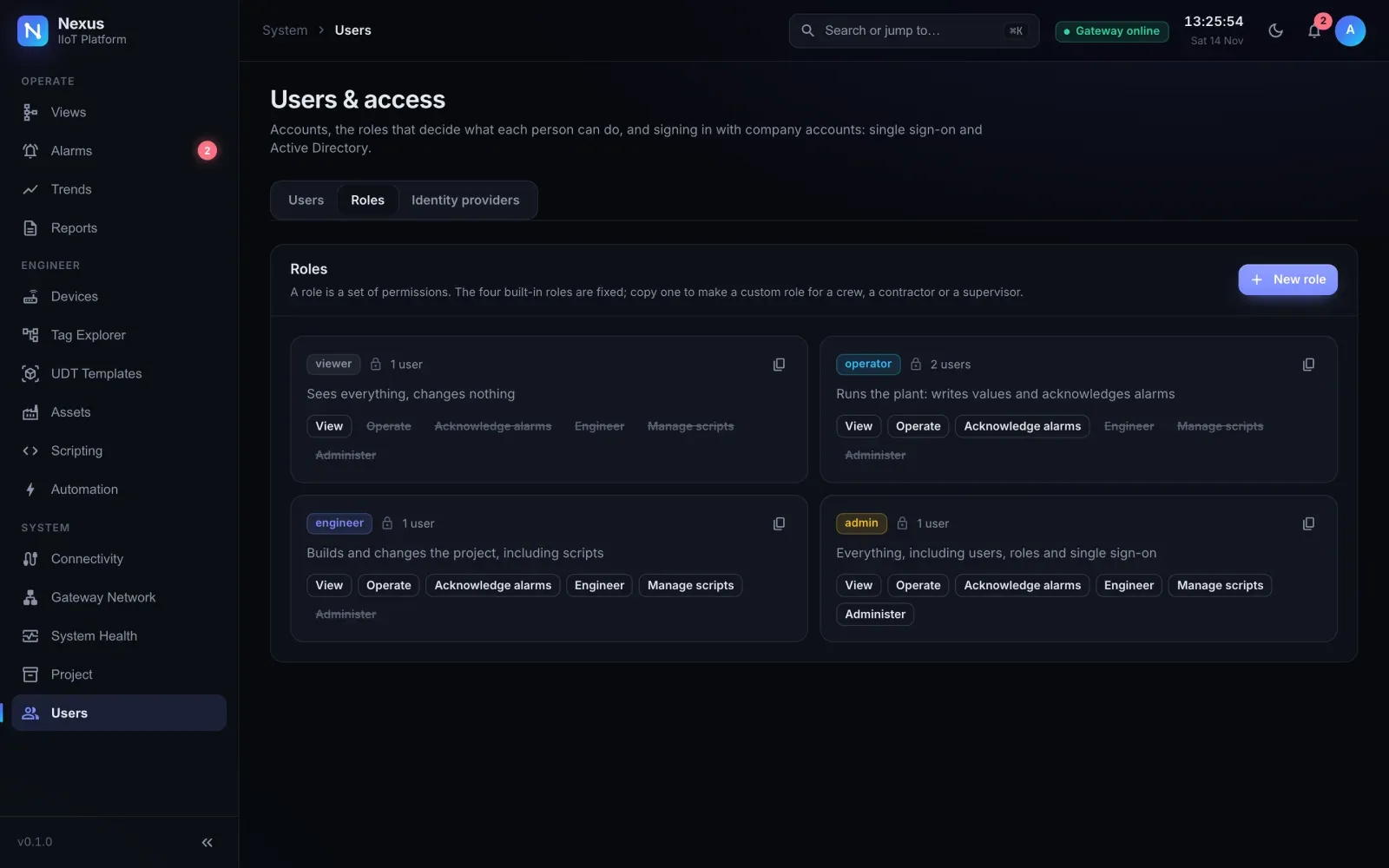
| Role | Permissions |
|---|---|
| viewer | View |
| operator | View, Operate, Acknowledge alarms |
| engineer | Operator’s, plus Engineer and Manage scripts |
| admin | Everything |
The built-in roles can’t be changed.
Custom roles
Under Roles, copy a built-in role into a custom one for a crew, a contractor or a supervisor, for example shift-lead with View, Operate and Acknowledge alarms, or integrator with Engineer but not Manage scripts.
- Edits apply to people already signed in.
- A role can’t be deleted while users hold it or an identity provider maps to it.
- OPC UA sign-ins follow the same roles: Operate may write.
Users
Under Users:
- Add a user with an email, a name, a role and a password.
- Edit someone’s name and role, or their notification contact details.
- Disable an account. It can’t sign in, and its open sessions end within seconds.
- Reset password.
- Sign out everywhere ends all of someone’s sessions.
- Asset scope limits a user to permitted asset subtrees (see Assets).
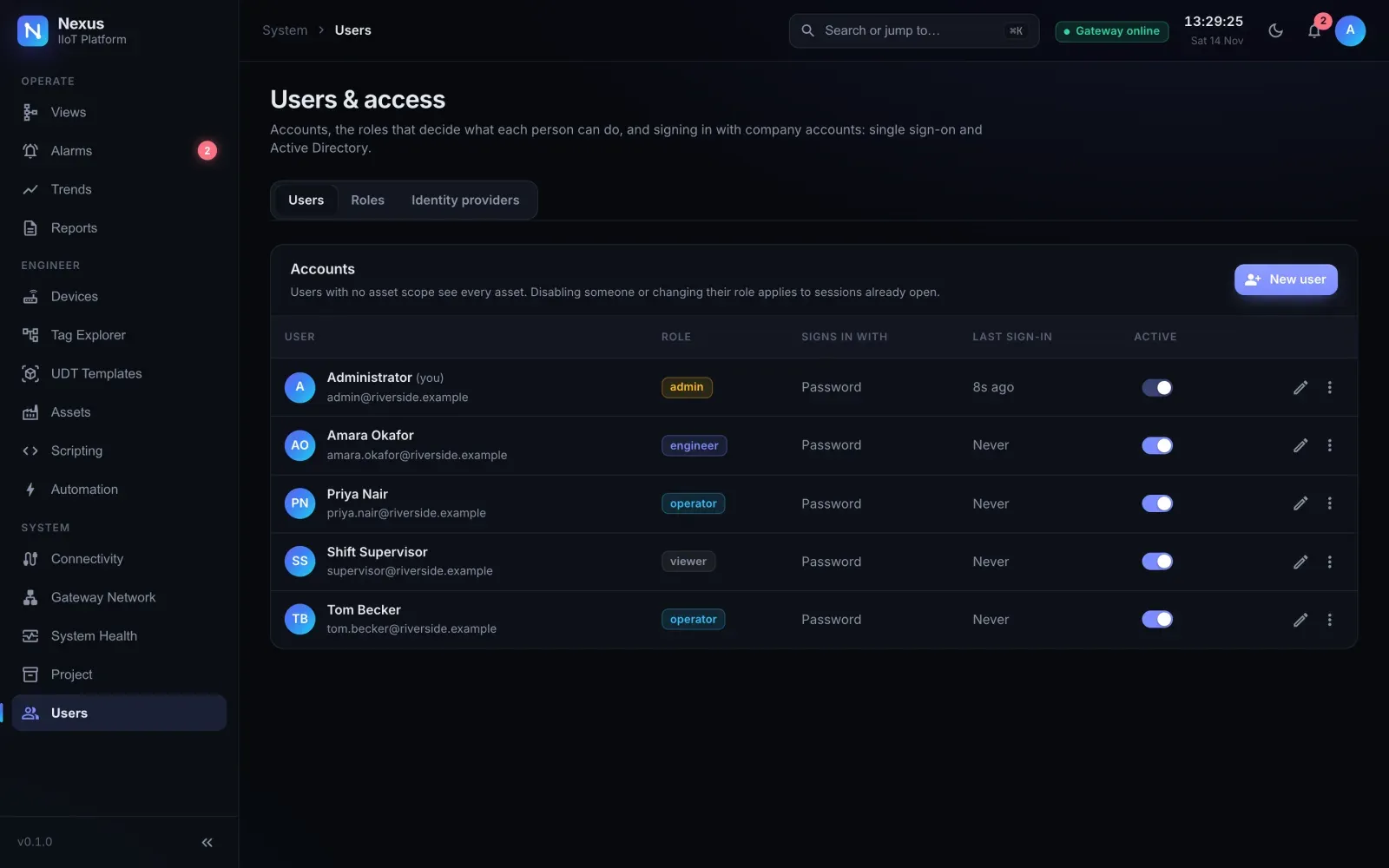
A disabled account, a role change or a sign-out applies to open sessions within seconds, and open live-value connections close within 15 seconds. The gateway always keeps at least one active administrator.
Everyone with a password can change it from their account menu; their other sessions then end.
From the command line:
nexus user add jane@plant.com --role operator --name "Jane Doe"
nexus admin reset-password jane@plant.com
A password is generated and printed if you don’t give one.
Sessions
- A sign-in lasts 7 days and slides forward while the browser is in use, so kiosk screens stay signed in.
- Changing the gateway’s session secret (
JWT_SECRET) signs everyone out. - Wrong passwords are throttled: 10 wrong passwords for one account from one address lock that pair out for 15 minutes, and 50 failures from one address lock the address.
The audit log
Sign-ins, account and role changes, tag writes, alarm acknowledgements, configuration changes, imports, script calls and AI requests are recorded with who did them, from where, and how (web app, API key, OPC UA, MQTT, script).