Connect and model
Assets
Model the plant as an ISA-95 equipment hierarchy, attach devices, views and tag folders to it, and limit users to the parts they look after.
Assets describe the plant as a hierarchy, following ISA-95:
| Level | Example |
|---|---|
| Enterprise | Acme Water |
| Site | Riverside |
| Area | Treatment |
| Line | Filtration line 1 |
| Cell | Filter bank A |
| Equipment | Pump P-101 |
Open Assets to see the tree. Select an asset to see its details and everything attached to it.
Building the hierarchy
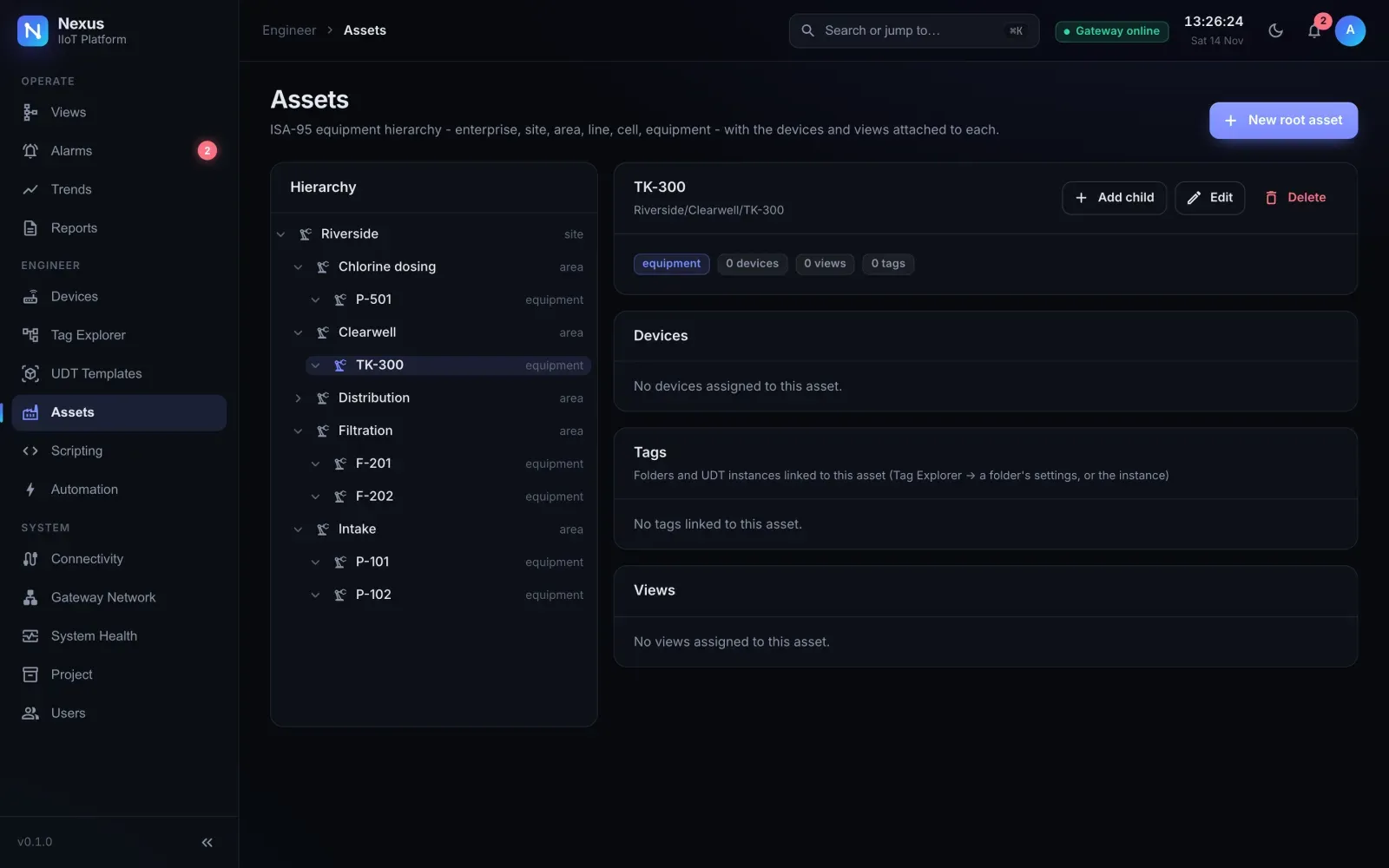
- Choose New root asset, usually a site or an area.
- Select it and choose Add child: areas under a site, lines under an area, and so on.
- Give each asset a name, a type and a description.
Use Edit to rename an asset; its path (Acme/Riverside/Treatment) follows. Delete removes it.
What belongs to an asset
| Item | How to attach it | What it gives you |
|---|---|---|
| Devices | The device’s Asset setting | The device appears on the asset’s page and follows asset scopes |
| Views | The view’s Asset setting in the editor | The view’s alarm ribbon shows that asset’s alarms; navigation respects asset scopes |
| Tag folders | Tag Explorer → the folder’s settings | Its tags belong to the equipment: on the asset’s page, in the asset model’s MQTT topics, and in asset scopes |
| UDT instances | The instance’s asset | The same as a folder |
Alarms by asset
Alarms belong to the asset of their tag. That lets you:
- Show only an area’s alarms on its views: a view with an asset shows Alarms of this view’s asset (and the equipment below it) in its ribbon by default. See Applications.
- Filter the alarm journal and alarm lists by area or equipment.
Limiting users to parts of the plant
An administrator can give a user permitted asset subtrees under Users → (user) → asset scope. That user then only sees the devices, tags and views under those assets, and application navigation only lists views inside them. Everything outside them behaves as if it weren’t there. Users without a scope see everything their role allows.
Use scopes for contractors who look after one line, or for sites that share a gateway.
Assets in other places
- MQTT publishing in JSON can lay topics out by asset path instead of tag path, for a unified namespace (see Connectivity).
- The AI assistant only sees views inside the asset scope of the person using it.
- Projects carry the hierarchy and what is attached to it.